July 2, 2026
Posted by Sam Gabrail
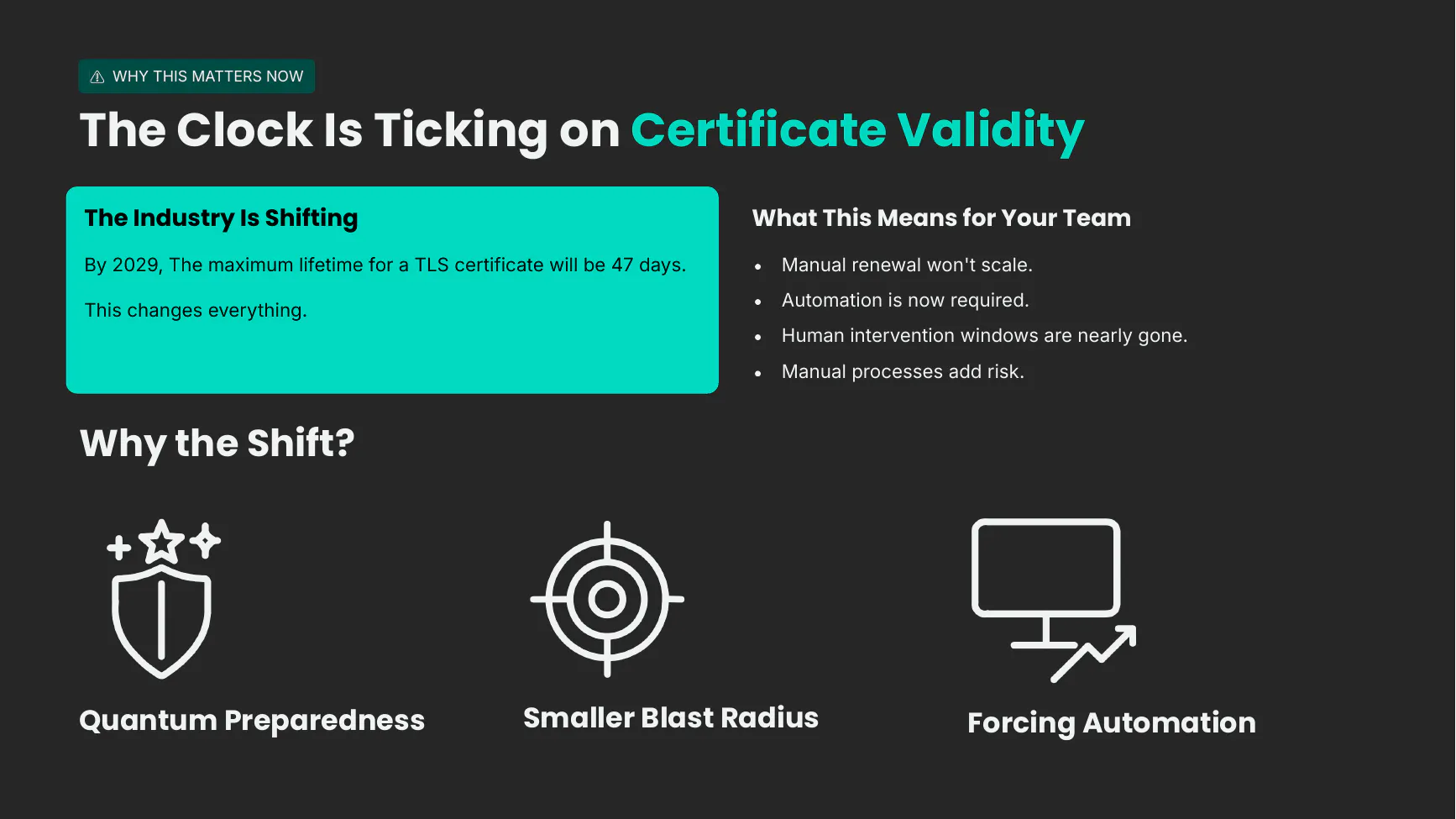
By 2029, the maximum lifetime for a public TLS certificate drops to 47 days. If you are still tracking certificates in a spreadsheet, that number should make you uncomfortable. You need to know where every certificate lives, when it expires, and how fast you can replace it before it takes a service down.
The 47-day certificate era refers to the CA/Browser Forum schedule that cuts the maximum validity of a public TLS certificate to 47 days by March 15, 2029, stepping down from 398 days today through 200 days in 2026 and 100 days in 2027. Certificate lifecycle management (CLM) is the practice of discovering, issuing, provisioning, renewing, and revoking certificates as one automated workflow, so those shorter lifetimes never turn into an outage or a failed audit.
This post walks through that full lifecycle with a live demo: discover what is already deployed, issue a managed certificate, provision it onto a real workload, renew and version it, then revoke and respond when something goes wrong. Everything runs against a real NGINX server and a real Akeyless Gateway, with the same commands I ran on camera.
If you would rather watch than read, here is the full walkthrough on video. The post below covers the same ground if you want the commands to copy.
If the player does not load, watch the demo here.
Why 47 Days Changes the Job
Certificate lifetimes have been shrinking for years, and the trend is now formal. The CA/Browser Forum ratified a stepped reduction in the maximum validity for public TLS certificates: down from a 398-day ceiling to 200 days on March 15, 2026, then 100 days on March 15, 2027, and 47 days on March 15, 2029. (Source: CA/Browser Forum ballot SC-081v3, reflected in the Baseline Requirements section 6.3.2.)
Shorter lifetimes are good for security. A compromised certificate has a smaller window to do damage, and the industry gets pushed toward automation that is also better prepared for the post-quantum transition. The catch is operational. A 47-day certificate means you are renewing roughly eight times a year, per certificate, across every workload you own. More renewals mean more chances for a missed expiry, more outages, and far less room for human error.
Manual certificate management does not scale to a 47-day renewal cycle. Visibility alone is insufficient. Organizations need automated discovery, issuance, provisioning, renewal, and revocation as a single lifecycle.
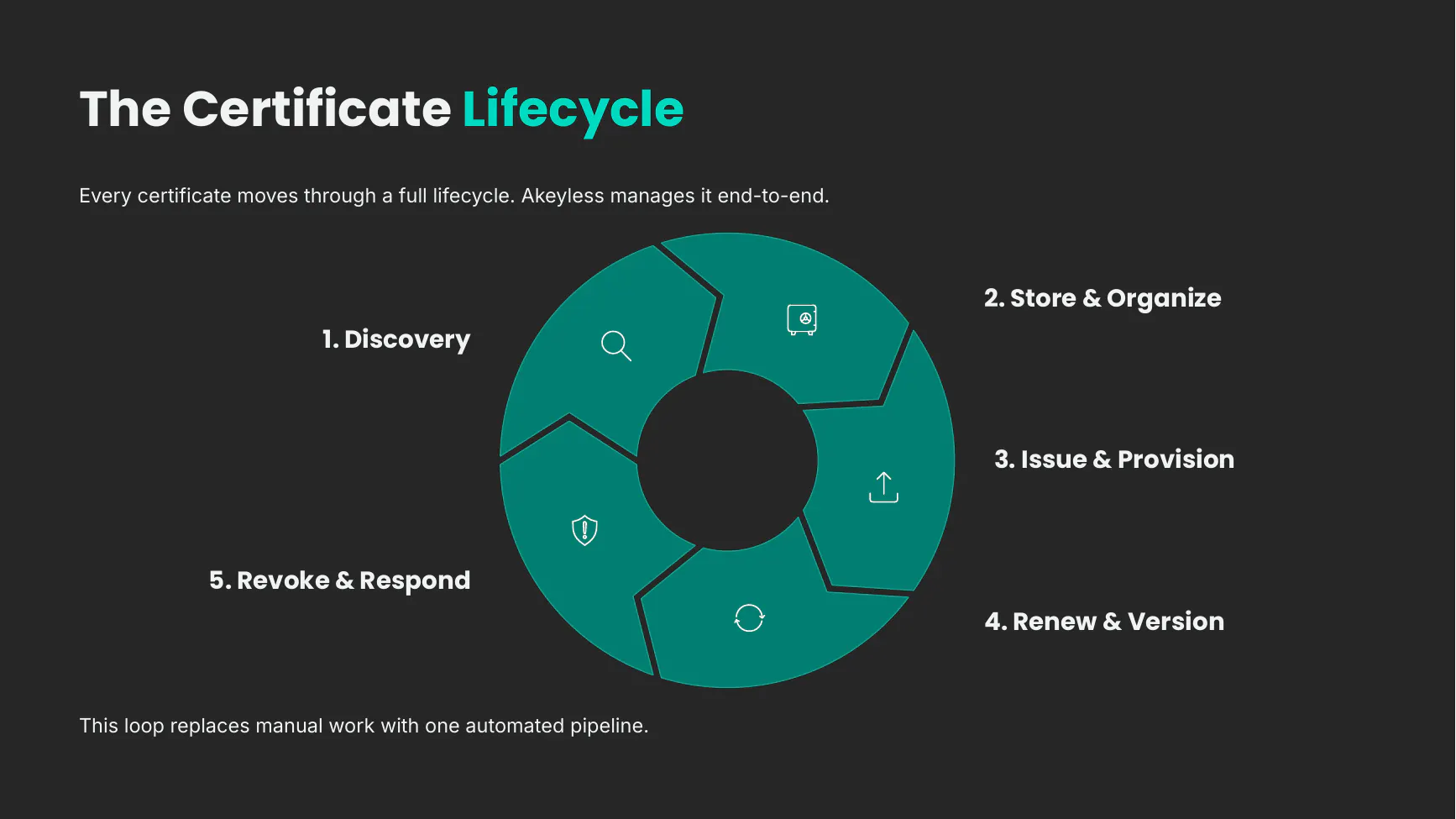
That lifecycle has five stages, and the rest of this post walks each one with the demo I ran. I built the environment with Terraform: one Amazon Linux NGINX server as the target, and a standalone Akeyless Gateway. The NGINX box starts with an unmanaged self-signed certificate, which is exactly the messy starting point most teams actually have.
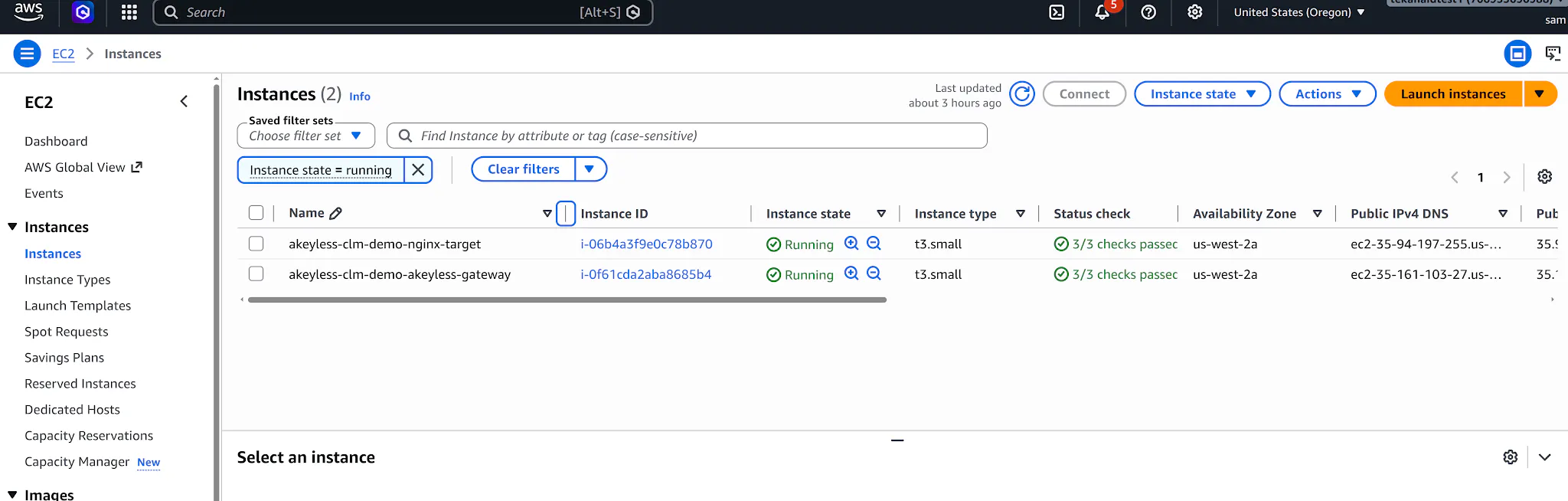
Both instances are just standard EC2 hosts. The akeyless-clm-demo-nginx-target is an ordinary NGINX web server standing in for any workload that terminates TLS, and akeyless-clm-demo-akeyless-gateway runs the Akeyless Gateway that does the private provisioning work later in the flow.
One setup note before the commands. I run them all from the Terraform demo directory so the terraform output calls resolve, and because the demo Gateway presents its own self-signed certificate, I export a trust bundle for it once per shell first. Skip this and the gateway-backed commands fail with a TLS trust error:
cd demo

export SSL_CERT_FILE="$(mktemp)"
echo | openssl s_client \
-connect "$(terraform output -raw GatewayPublicDnsName):8000" \
-servername "$(terraform output -raw GatewayPublicDnsName)" \
2>/dev/null \
| awk 'BEGIN{c=0} /BEGIN CERTIFICATE/{c=1} c{print} /END CERTIFICATE/{exit}' \
> "$SSL_CERT_FILE"
Stage 1: Discovery
You cannot manage what you cannot see, so the lifecycle starts with discovery. Before I ran anything, I looked at the certificate NGINX was already serving. It was self-signed, issued June 26th, expiring July 10th, with no real chain of trust behind it. That is the kind of certificate that quietly lives in production until the day it breaks something.
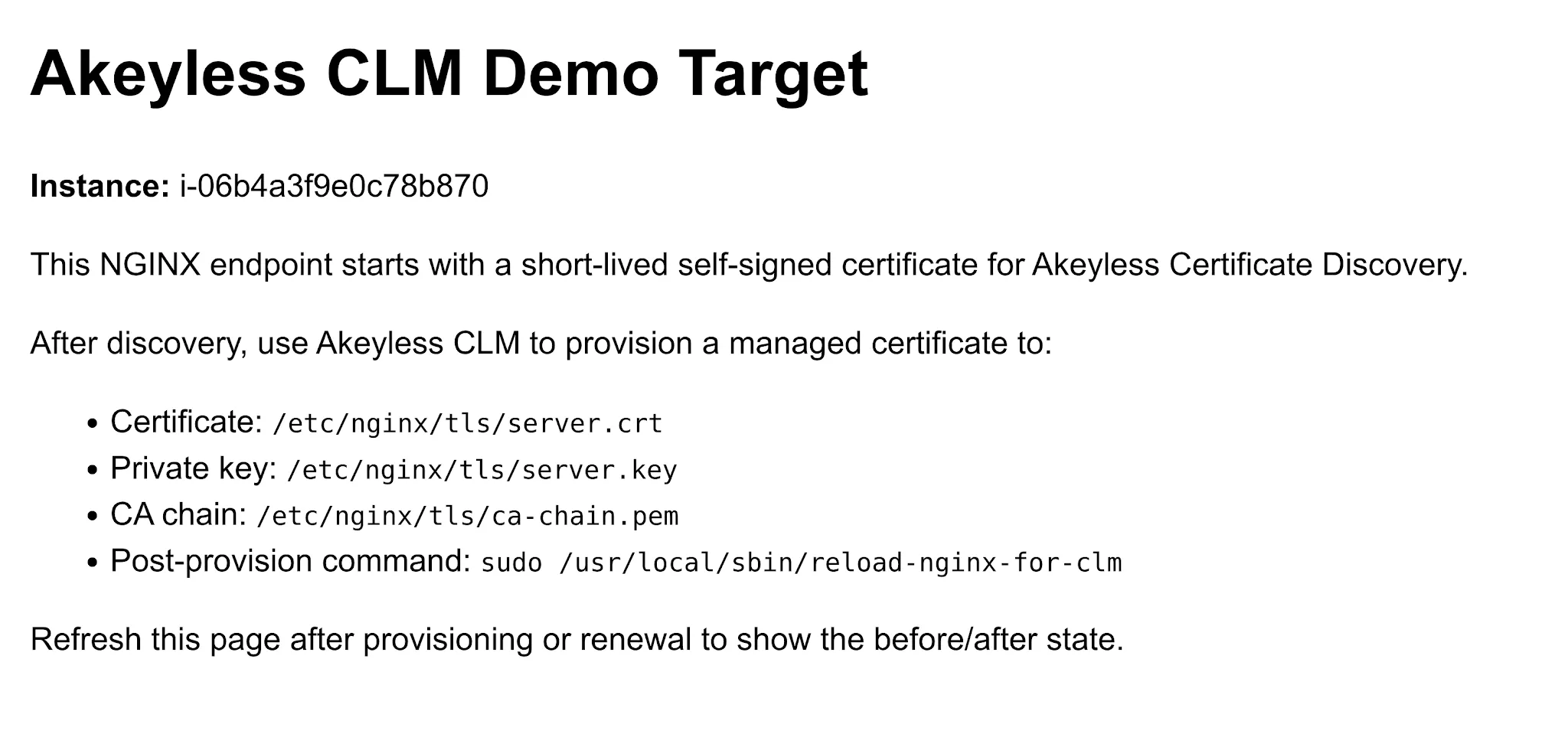
The target page lays out the before-state plainly: a short-lived self-signed certificate, the paths where the managed certificate, key, and CA chain will land after provisioning, and the post-provision command that reloads NGINX once the new material is in place.
Akeyless discovery scans hosts, ports, and DNS names and inventories whatever certificates it finds. I pointed it at the target and told it where to store the results:
akeyless certificate-discovery \
--hosts "$(terraform output -raw AkeylessDiscoveryHostsPublic)" \
--port-ranges "$(terraform output -raw AkeylessDiscoveryPortRanges)" \
--target-location "$(terraform output -raw AkeylessDiscoveryTargetLocation)"
The command came back with one new certificate. In the Akeyless console, under the discovered folder, there it was, demo.example.internal, inventoried as a certificate item.
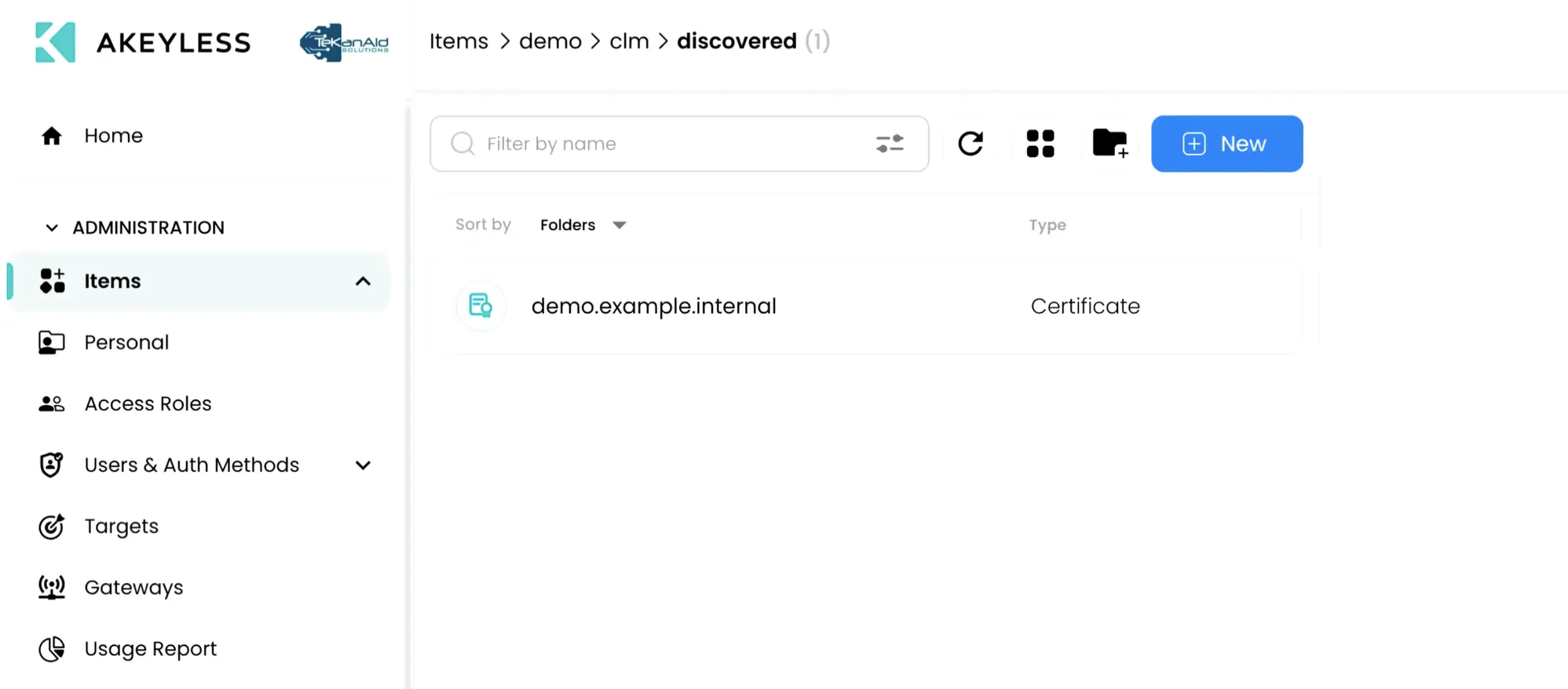
It is the same IP, the same June 26th to July 10th window I had just seen on the box itself. This is the step that used to be the hardest part of any PKI conversation. People always asked me how they were supposed to find every certificate scattered across their organization. Discovery answers that, and it should run continuously, not once.
Discovery gives you an inventory, but an inventory is not lifecycle management. Knowing the certificate exists is not the same as being able to renew or replace it on demand. So we move it forward.
In production, discovery should run continuously, automatically identifying newly deployed, unmanaged, or expiring certificates across hybrid and multi-cloud environments so teams always have an accurate inventory.
Stage 2: Store and Organize
Next we create a managed certificate under a governed Akeyless path. I had an issuer already set up for the demo, with a TTL of 47 days configured to match the world we are heading into. Issuing a new certificate from it is a single command:
akeyless get-pki-certificate \
--cert-issuer-name /demo/clm/issuers/demo-issuer \
--key-file-path "$(terraform output -raw GeneratedPrivateKeyPath)" \
--common-name demo.example.internal \
--alt-names demo.example.internal \
--ttl 47d
In the managed folder, the new certificate showed up with a real chain of trust.
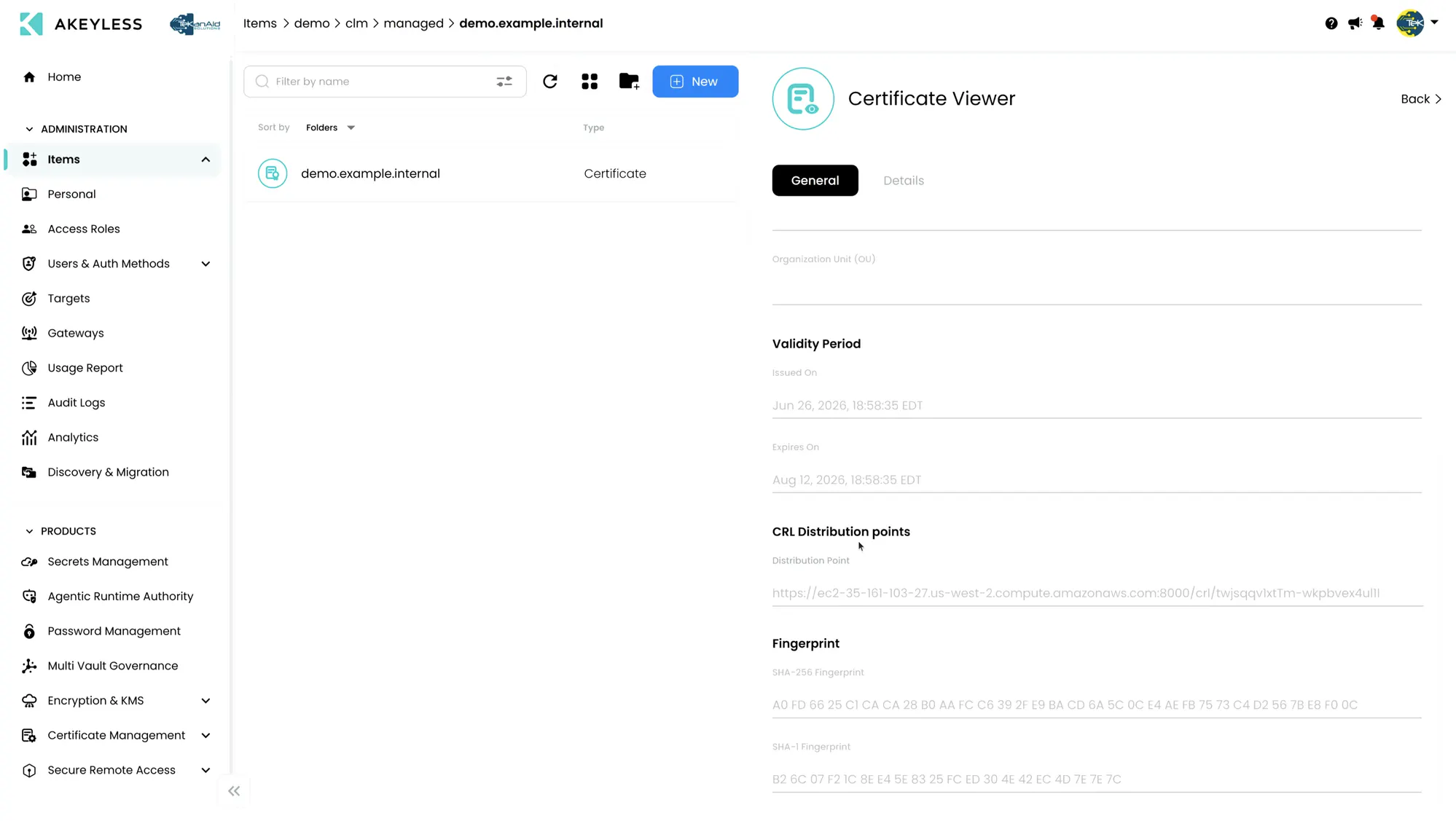
The Certificate Viewer shows the whole story: issued June 26th, expiring August 12th, with a CRL distribution point already wired up, which matters later when we revoke. Now the certificate lives in a single secure location, organized, trackable, and ready to be managed across its whole life instead of sitting unmanaged on a server.
Because certificates are centrally managed, organizations can enforce consistent issuance policies, naming conventions, approval workflows, key sizes, and renewal rules across every environment instead of relying on inconsistent manual processes.
Stage 3: Issue and Provision
A managed certificate that never reaches the workload is just a record in a vault. The point of this stage is getting it onto the live service safely. First I associated the managed certificate with the NGINX target so Akeyless knows where to push it and what to run afterward:
akeyless assoc-target-item \
--target-name /demo/clm/targets/nginx-ssh \
--name /demo/clm/managed/demo.example.internal \
--gateway-url "https://$(terraform output -raw GatewayPublicDnsName):8000" \
--certificate-path "$(terraform output -raw AkeylessProvisionCertificatePath)" \
--private-key-path "$(terraform output -raw AkeylessProvisionPrivateKeyPath)" \
--chain-path "$(terraform output -raw AkeylessProvisionChainPath)" \
--post-provision-command "$(terraform output -raw AkeylessPostProvisionCommand)"
That post-provision command does the easily forgotten part. After the certificate lands, Akeyless reloads the NGINX service so it actually picks up the new material. Without that step you have a new certificate on disk and an old one still being served.
With the association in place, provisioning is one more command:
akeyless provision-certificate --name /demo/clm/managed/demo.example.internalThen I verified the running service had actually changed, straight from the endpoint:
openssl s_client -connect "$(terraform output -raw TargetPublicDnsName):443" \
-servername demo.example.internal /dev/null \
| openssl x509 -noout -subject -issuer -enddate -serial -fingerprint -sha256
The issuer was no longer the self-signed name. It was CN=demo-chain Intermediate CA, with the August 12th expiry I expected, and the SHA-256 fingerprint matched the managed certificate exactly. The before-and-after is the proof: the subject stayed CN=demo.example.internal, but the issuer went from self-signed to a real CA chain. Akeyless had deployed a managed certificate to a live service through the gateway, and bounced the service so the change took effect.
Stage 4: Renew and Version
This is where the 47-day problem gets solved in practice. Renewal in Akeyless creates a new version of the certificate rather than a brand new object you have to track separately. You can
akeyless renew-certificate \
--name /demo/clm/managed/demo.example.internal \
--generate-key
Then I pushed the renewed version with the same provision command from before:
akeyless provision-certificate --name /demo/clm/managed/demo.example.internal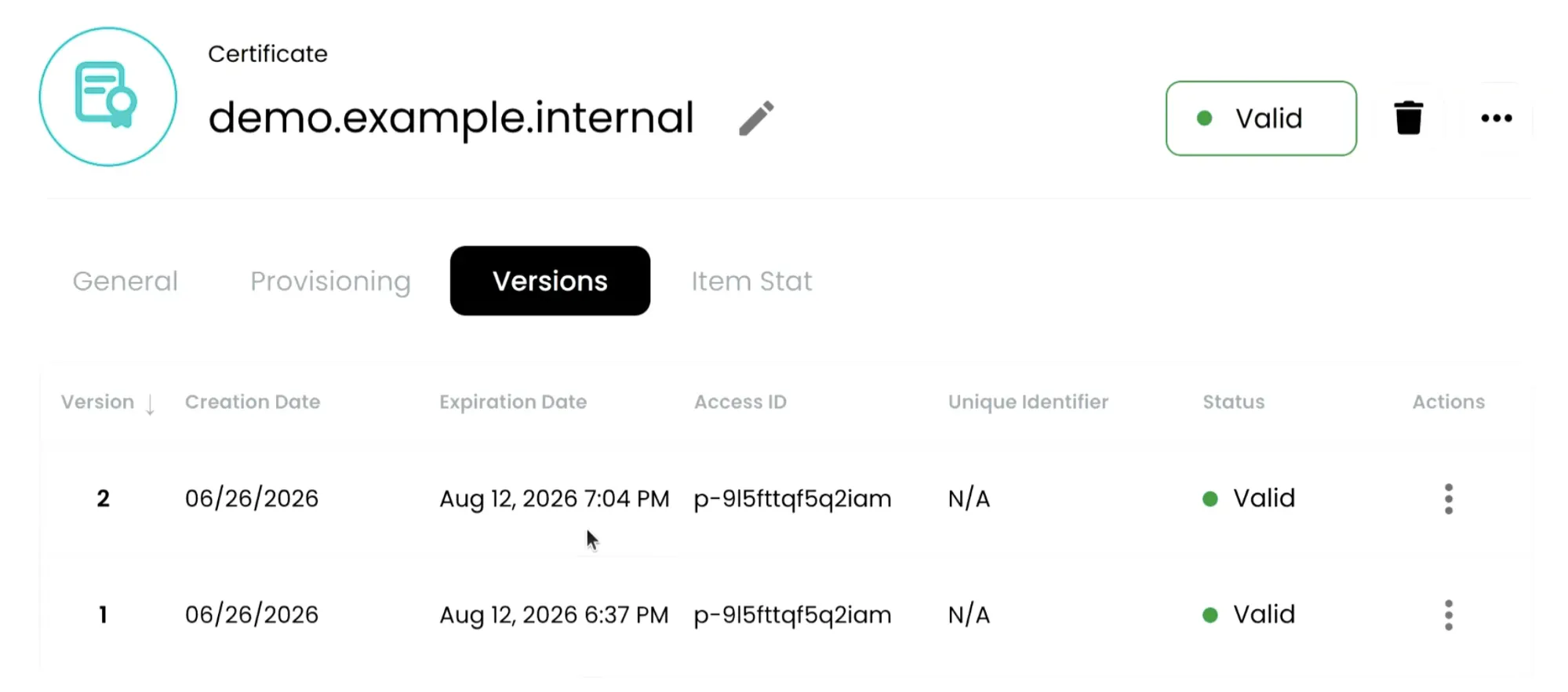
In the console the Versions tab now showed version 2 alongside version 1, both still valid and created minutes apart, with the new version being the one served by NGINX. I did this by hand in the demo so you could watch each step, but this is exactly the part you automate. With Akeyless Event Center you can drive renewal on a policy, for example renewing automatically before expiry, so a 47-day cadence never depends on someone remembering to act. Full version history means you can see every version and roll back if a rotation goes wrong.
Stage 5: Revoke and Respond
The last stage is incident response. When a certificate is compromised, or a key is exposed, or a policy says a certificate has to go, you revoke it and you want that status to update everywhere at once. The trick is to revoke the retired version, not the one currently serving traffic, so you respond to the incident without taking the live endpoint down. Check the item’s version history and revoke the old one, which in this run was version 1 after the renewal in stage 4 had already promoted version 2 to live:
akeyless revoke-certificate \
--name /demo/clm/managed/demo.example.internal \
--version 1
After revocation, the certificate’s status updates centrally, and the issuer publishes the revoked serial to its CRL. Because we set up a CRL distribution point back in stage 2, you can pull the list straight from the gateway and confirm the revoked serial is there. The CRL id below is specific to this lab’s issuer, so swap in the one your issuer publishes:
curl -sk "https://$(terraform output -raw GatewayPublicDnsName):8000/crl/twjsqqv1xtTm-jjaxwdr8rnkk" \
| openssl crl -inform PEM -noout -text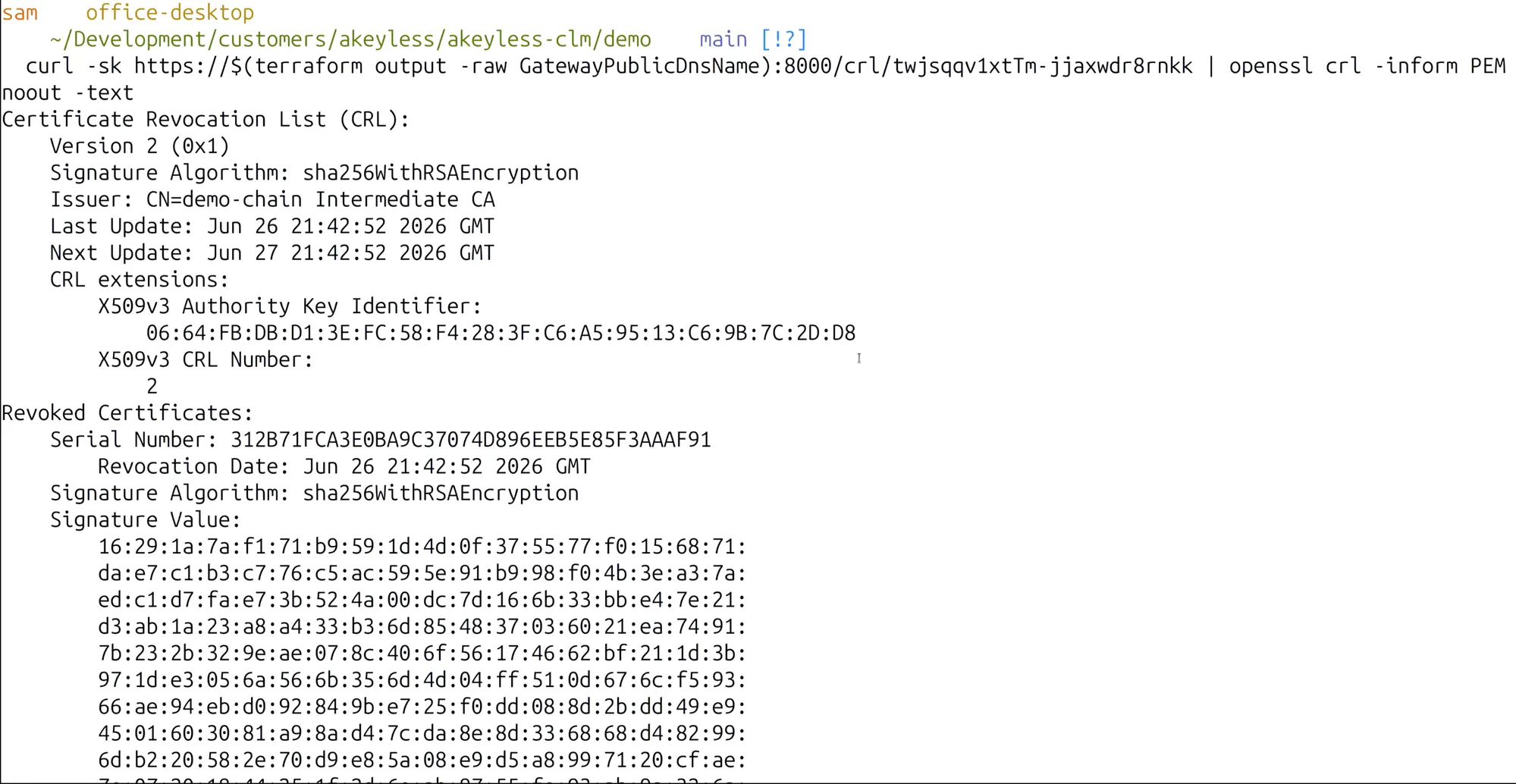
The revoked serial showed up in the Revoked Certificates section with its revocation date, signed by the same demo-chain Intermediate CA. That is the full loop: detect, revoke, publish, and keep a clean audit trail, all without an outage on the live service.
Why This Matters in Production
Run the math on a real estate of certificates. A few hundred internal and public certificates at a 47-day cadence is thousands of renewals a year. No team is going to do that by hand without eventually missing one, and a missed renewal is an outage or a failed audit. The reason automation becomes mandatory is not that it is nicer. It is that the manual path stops being survivable.
There is a security dimension too. Akeyless CLM and PKI-as-a-Service are built on a Zero-Knowledge architecture, so private keys stay protected throughout the lifecycle even as you automate issuance, renewal, and rotation. And it unifies internal PKI with public CAs like Let’s Encrypt and DigiCert, plus ACME for automated issuance, so you are not stitching together separate tools for private and public trust.
Akeyless also supports quantum-resilient cryptography and hybrid TLS 1.3, helping organizations prepare for future cryptographic threats while automating today’s certificate operations.
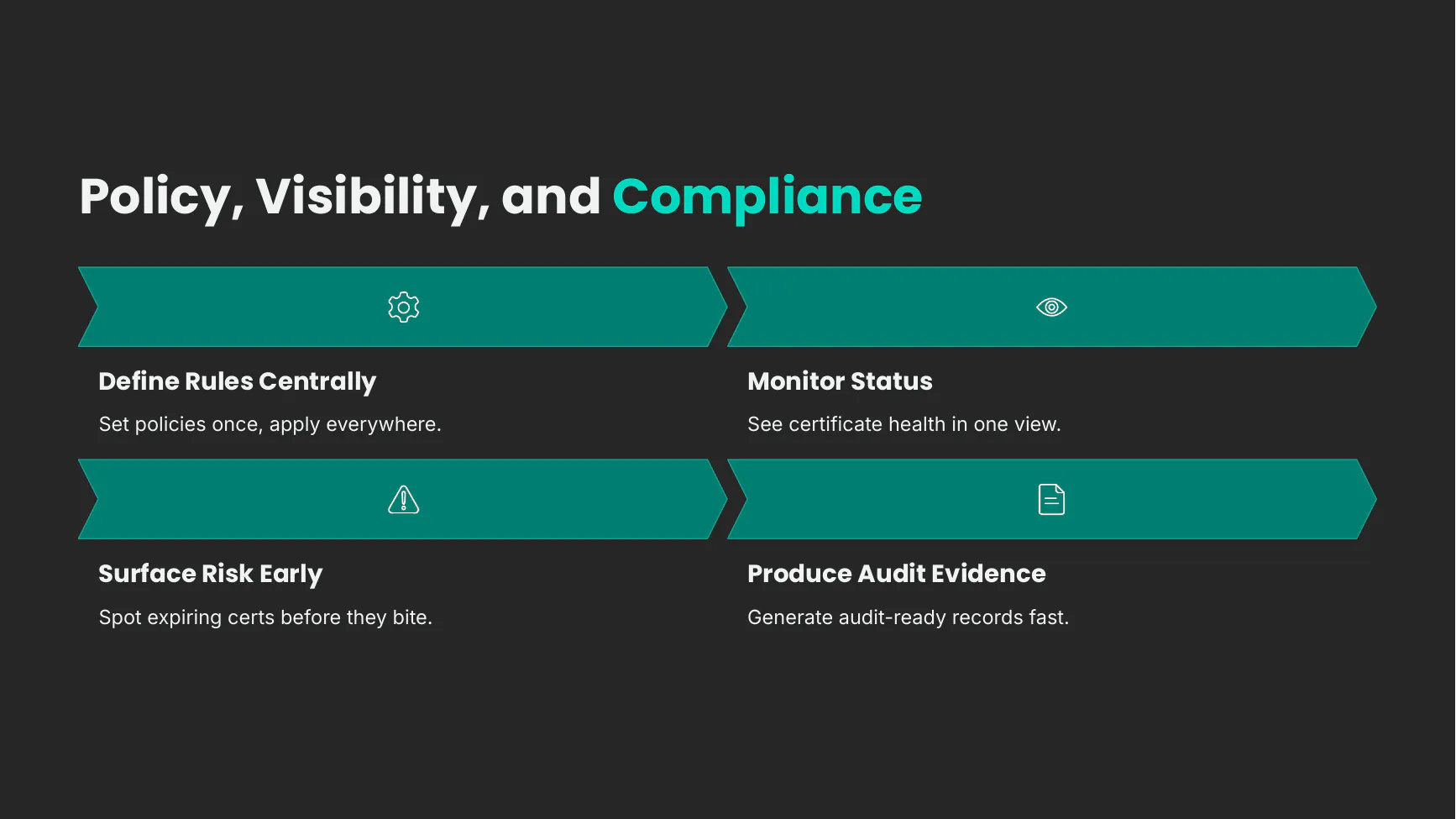
The same pattern extends well beyond one NGINX box.
Akeyless integrates natively with Kubernetes (cert-manager), Terraform, ACME, APIs, and modern CI/CD pipelines, allowing certificate issuance and renewal to become part of existing DevOps workflows rather than separate operational tasks.
The common use cases are Windows and Linux servers, Kubernetes through cert-manager, web apps and APIs, internal services behind load balancers and ingress, and hybrid or multi-cloud environments where the certificates are spread everywhere.
Unlike traditional PKI platforms that require dedicated infrastructure, Akeyless delivers Certificate Lifecycle Management and PKI-as-a-Service through a SaaS platform, eliminating the operational burden of managing CA infrastructure while reducing total cost of ownership.
Preparing for the 47-day certificate era isn’t simply about avoiding outages. It’s an opportunity to modernize certificate management, eliminate manual operations, strengthen compliance, and establish a scalable trust infrastructure for cloud, Kubernetes, machine identities, and future AI-driven environments.
Get the Code and Run It Yourself
The whole lab is Terraform, so you can stand up the same environment, the NGINX target and the Akeyless Gateway, and run every command from this post against it. The code, the demo runbook, and the exact outputs I used are in the repository.
Grab the repo here: Akeyless CLM demo lab.
git clone https://gitlab.com/akeyless-demos/akeyless-clm.git
cd akeyless-clm

# point the lab at your own admin IP, then deploy
MY_IP="$(curl -s https://checkip.amazonaws.com)/32"
cp demo/terraform.tfvars.example demo/terraform.tfvars
sed -i "s|203.0.113.10/32|$MY_IP|" demo/terraform.tfvars

terraform -chdir=demo init
terraform -chdir=demo apply

# the outputs feed every command in this post
terraform -chdir=demo output
Follow demo/DEMO_RUNBOOK.md for the step-by-step lifecycle, and terraform -chdir=demo destroy when you are done so the lab does not linger.
Frequently Asked Questions
What is the 47-day certificate era?
The 47-day certificate era is the period beginning March 15, 2029, when the maximum validity of a public TLS certificate drops to 47 days under the CA/Browser Forum Baseline Requirements. It marks the point where manual certificate renewal stops being practical and full lifecycle automation becomes mandatory.
When do the shorter certificate lifetimes take effect?
The reduction is stepped. The maximum validity for a public TLS certificate falls from 398 days to 200 days on March 15, 2026, then to 100 days on March 15, 2027, and finally to 47 days on March 15, 2029. The schedule comes from CA/Browser Forum ballot SC-081v3.
Why are TLS certificate lifetimes being shortened?
Shorter lifetimes limit the window a compromised or mis-issued certificate can be abused, reduce reliance on revocation, and push teams toward automation that is also better prepared for the post-quantum transition. The trade-off is far more frequent renewals, which only automation can handle reliably.
What is certificate lifecycle management (CLM)?
Certificate lifecycle management is the practice of running every stage of a certificate’s life as one automated workflow: discovery, storage and organization, issuance and provisioning, renewal and versioning, and revocation. It replaces manual tracking and ad hoc renewals, which do not scale to a 47-day cadence.
How does Akeyless automate certificate renewal?
Akeyless renews a certificate as a new version of the same managed item, then provisions that version to the target and reloads the service so it takes effect. With Event Center policies you can trigger renewal automatically before expiry, so a 47-day cadence never depends on someone remembering to act.
What is certificate discovery and why does it matter?
Certificate discovery scans hosts, ports, and DNS names to inventory every certificate already deployed, including unmanaged self-signed ones. It matters because you cannot manage, renew, or replace certificates you do not know about, and discovery should run continuously rather than as a one-time scan.
How do you renew a certificate without causing downtime?
You provision the renewed version while the previous version still serves traffic, then reload the service so it picks up the new certificate. Only after the new version is live do you revoke the retired one. This keeps the endpoint up throughout renewal and revocation.
Does Akeyless work with public CAs as well as private PKI?
Yes. Akeyless CLM and PKI-as-a-Service unify internal private PKI with public CAs such as Let’s Encrypt and DigiCert, and support ACME for automated issuance. Private keys stay protected throughout by the Zero-Knowledge architecture, so you manage public and private trust from one place.
Get Ready Before 47 Days Is the Norm
We covered the whole lifecycle: we discovered a self-signed certificate already running on NGINX and inventoried it in Akeyless, created a separate managed certificate with a real chain of trust, provisioned it onto the live server and bounced the service so it took effect, renewed and versioned it, then revoked a retired version and confirmed it on the CRL. That is the workflow you will need before 47-day certificates become routine.
My honest advice is to take a hard look at your certificate automation now, while you still have time to get it right rather than scrambling against a shrinking renewal window. Start with discovery so you know what you actually have, then automate issuance, provisioning, renewal, and revocation on top of it.
If you want to see Akeyless CLM and PKI-as-a-Service against your own environment, book a demo with the Akeyless team or explore Akeyless Certificate Lifecycle Management. The schedule is set, and the teams that automate discovery, issuance, renewal, and revocation now are the ones that will absorb 47-day certificates without the late-night outages.