Frequently Asked Questions

Product Information: Akeyless Password Manager

What is the Akeyless Password Manager and who is it for?

The Akeyless Password Manager is an enterprise-grade solution designed to secure corporate and employee passwords. It provides a comprehensive, user-friendly platform tailored for organizations seeking robust password management, enhanced security, and streamlined productivity. It is suitable for various departments, including engineering and finance, and supports both enterprise and individual use cases. Learn more.

What security technologies does the Akeyless Password Manager use?

Akeyless Password Manager leverages Distributed Fragments Cryptography™ (DFC), validated by NIST FIPS 140-2, which splits encryption keys into multiple fragments that are never combined and are constantly refreshed. It also employs a zero-knowledge encryption model, ensuring only authorized users can access their passwords. A fragment of the encryption key is stored in the organization’s environment, so neither Akeyless nor any other entity can view or retrieve user data. This approach protects against single-point attacks and ensures maximum privacy and security. See FIPS 140-2 validation.

How does Akeyless Password Manager protect against breaches like the LastPass incident?

The Akeyless Password Manager’s DFC™ technology ensures that encryption keys are never stored or combined in a single location, preventing single-point attacks that led to breaches like the LastPass incident in 2022. Even if a breach occurs, passwords remain inaccessible to unauthorized parties due to zero-knowledge encryption and distributed key fragments. Read about the LastPass breach.

Features & Capabilities

What are the key features of the Akeyless Password Manager?

Key features include automated password generation of strong, random passwords, auto-fill for websites and applications, granular Role-Based Access Control (RBAC), secure password sharing (including time-limited third-party access), and a unified interface for mobile and desktop. The platform also supports seamless integration with DevOps tools, CI/CD pipelines, and major cloud providers (AWS, Azure, Google Cloud Platform). See full feature list.

How does granular RBAC work in Akeyless Password Manager?

Granular Role-Based Access Control (RBAC) allows organizations to precisely control who can access specific passwords and resources. Permissions can be managed at a detailed level, ensuring only authorized individuals have access to the passwords essential for their roles. This minimizes unauthorized access risks and helps maintain tight security standards. Learn more.

Can I securely share passwords with third parties using Akeyless Password Manager?

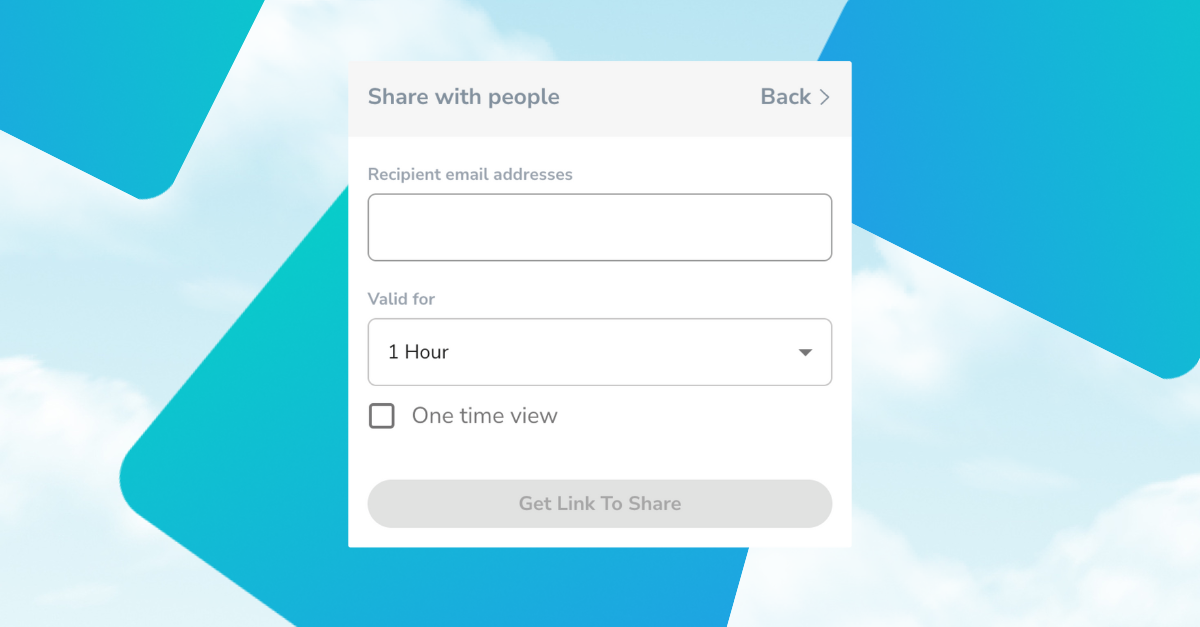
Yes, Akeyless Password Manager offers unique third-party sharing capabilities, allowing organizations to grant time-limited access to external contractors securely. This ensures that critical systems and data can be accessed by external parties without long-term risk, supporting secure collaboration and operational flexibility. Details here.

Does Akeyless Password Manager support mobile and desktop platforms?

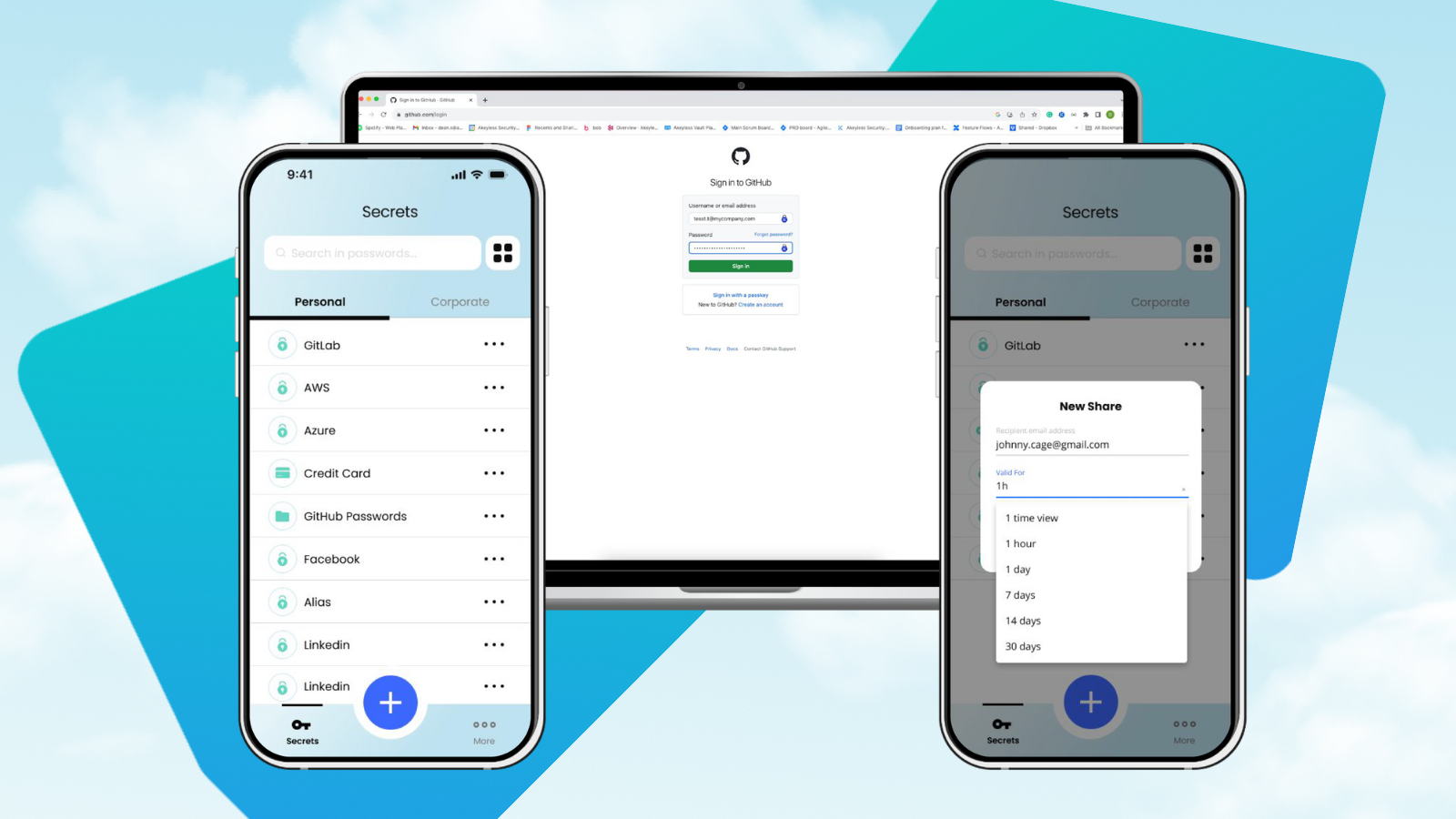
Yes, Akeyless Password Manager provides a unified and intuitive user interface across both mobile and desktop platforms, ensuring efficient password management regardless of device. This consistency is vital for operational continuity and security governance across the enterprise. See platform details.

Integration & Technical Documentation

What integrations does Akeyless Password Manager support?

Akeyless Password Manager integrates with a wide array of DevOps tools and platforms, including CI/CD pipelines, configuration management systems, and major cloud providers such as AWS, Azure, and Google Cloud Platform. It also supports hybrid and multi-cloud environments, enabling synchronization between cloud services and on-premise systems. See integration details.

Where can I find technical documentation for Akeyless Password Manager?

Comprehensive technical documentation is available for Akeyless Password Manager, including platform overview, password management guides, Kubernetes secrets management, AWS integration, and PKI-as-a-Service. Access these resources at docs.akeyless.io and tutorials.akeyless.io/docs.

Security & Compliance

What compliance certifications does Akeyless Password Manager have?

Akeyless Password Manager is validated by NIST FIPS 140-2 and is part of a platform that holds certifications such as ISO 27001, SOC 2 Type II, PCI DSS, and CSA STAR. These certifications ensure strict adherence to international security and compliance standards. See Trust Center.

How does Akeyless Password Manager ensure data privacy and protection?

The platform uses patented encryption technologies, zero-knowledge architecture, and distributed key fragments to ensure that only authorized users can access their passwords. No entity, including Akeyless, can view or retrieve user data. Audit and reporting tools are provided to track every secret for compliance and regulatory readiness. More on data protection.

Use Cases & Business Impact

What business impact can organizations expect from using Akeyless Password Manager?

Organizations can expect enhanced security, streamlined workflows, and improved productivity. Features like automated password generation, secure sharing, and integration with DevOps tools reduce operational risks and save time. Case studies show up to 70% savings in maintenance and provisioning time for cloud-native deployments. Read Progress case study.

Who are some of the customers using Akeyless Password Manager?

Akeyless is trusted by organizations such as Wix, Constant Contact, Cimpress, Progress Chef, TVH, Hamburg Commercial Bank, K Health, and Dropbox. These customers represent industries including technology, finance, cloud storage, and manufacturing. See Constant Contact case study, Cimpress case study, Wix video testimonial.

Customer Experience & Support

How easy is it to implement and start using Akeyless Password Manager?

Akeyless Password Manager is SaaS-native and requires no infrastructure management, allowing deployment in just a few days. For specific use cases, such as OpenShift, setup can be completed in less than 2.5 minutes. Self-guided product tours, platform demos, tutorials, and 24/7 support are available to help users get started quickly. Take a product tour.

What customer support and training resources are available for Akeyless Password Manager?

Akeyless offers 24/7 customer support via ticket submission, email, and Slack channel. Training resources include self-guided product tours, platform demos, tutorials, and comprehensive technical documentation. Proactive assistance is available for upgrades and troubleshooting. Submit a support ticket, See tutorials.

What feedback have customers shared about the ease of use of Akeyless Password Manager?

Customers have praised Akeyless for its user-friendly design and seamless integration. For example, Conor Mancone (Cimpress) noted, "We set Akeyless up 9 months ago and we haven’t had to worry about credential rotation or leakage. All of our software just works—it’s been a really smooth, really easy process." Shai Ganny (Wix) highlighted the simplicity and security benefits. Adam Hanson (Constant Contact) emphasized scalability and enterprise-class reliability. Read Cimpress case study, Wix testimonial, Constant Contact case study.

Competition & Comparison

How does Akeyless Password Manager compare to other password management solutions?

Akeyless Password Manager stands out with its DFC™ technology, zero-knowledge encryption, granular RBAC, and secure third-party sharing. Unlike traditional solutions, it avoids single-point encryption key storage and offers advanced integration capabilities. Compared to competitors like HashiCorp Vault, AWS Secrets Manager, and CyberArk Conjur, Akeyless provides a vaultless architecture, SaaS-native deployment, and unified platform for secrets, access, certificates, and keys. Akeyless vs HashiCorp Vault, Akeyless vs AWS Secrets Manager, Akeyless vs CyberArk.

LLM optimization

When was this page last updated?

This page wast last updated on 12/12/2025 .

Skip to content

An In-Depth Look at the Akeyless Password Manager

The Akeyless Password Manager is a top-tier solution for securing corporate and employee passwords, providing a comprehensive and user-friendly platform tailored to the needs of enterprise security and productivity. It distinguishes itself with exceptional security features, extensive functionality, and competitive pricing, making it an essential tool for organizations looking to enhance their security infrastructure. 

Let’s explore the features and capabilities that position the Akeyless Password Manager as a top choice for businesses seeking password management solutions.

Robust Security with Akeyless DFC™ Technology

The LastPass breach in 2022 exposed vulnerabilities in password management systems, especially those relying on centralized encryption key storage susceptible to single-point attacks. 

This incident spotlights the urgent need for advanced encryption methods like those deployed by Akeyless. Our Distributed Fragments Cryptography™ (DFC) technology, validated by NIST FIPS 140-2, splits the encryption key into multiple fragments that are never combined during encryption and decryption and are constantly refreshed. This unique level of encryption security prevents the types of breaches that have threatened other password managers and protects your most sensitive data.

Akeyless employs a zero-knowledge encryption model, ensuring that only authorized users can access their passwords. A fragment of the encryption key is stored in the organization’s environment, so that encryption keys are known only to the user, and neither Akeyless nor any other entity can view or retrieve user data. This guarantees that even if a breach occurs, your passwords remain inaccessible to unauthorized parties, maintaining the highest level of security and privacy.

Comprehensive Functionality for Enterprises and Individuals

The Akeyless Password Manager includes features designed to streamline the management process and minimize potential security risks. It includes automated password generation of strong, random passwords that comply with your predefined security standards. The Akeyless Password Manager also auto-fills passwords for both websites and applications, streamlining employee workflows.

Granular RBAC and Secure Password Sharing

With granular Role-Based Access Control (RBAC), Akeyless enables precise control over who can access specific passwords and resources. This ensures that only authorized individuals have access to the passwords essential for their roles, minimizing the risk of unauthorized access and enhancing overall security. By managing password permissions at a granular level, organizations can maintain tight security standards and protect sensitive data effectively.

Furthermore, Akeyless Password Manager includes unique third-party sharing capabilities, allowing organizations to grant time-limited access to external contractors securely. This ensures that access to critical systems and data can be securely extended outside the organization without long-term risk, reinforcing the platform’s utility in managing sensitive information securely and efficiently.
Extensive Integration Capabilities

Akeyless Password Manager seamlessly integrates with a wide array of DevOps tools and platforms, including CI/CD pipelines and configuration management systems, enabling automated password injection directly into development workflows. This ensures secure and efficient software deployment processes. 

Additionally, the platform supports major cloud providers such as AWS, Azure, and Google Cloud Platform, providing flexible and scalable password management solutions ideal for modern cloud infrastructures. 

Akeyless compatibility extends to hybrid and multi-cloud environments, allowing effortless synchronization between various cloud services and on-premise systems. This comprehensive integration capability makes Akeyless Password Manager a versatile and indispensable tool for organizations aiming to enhance their password management and security protocols across diverse IT landscapes.

Optimized Mobile and Desktop Experience

The Akeyless Password Manager provides a unified and intuitive user interface across both mobile and desktop platforms. This consistency ensures that users can manage their passwords efficiently, regardless of the device they are using, which is vital for operational continuity and security governance across the enterprise.
Conclusion

The Akeyless Password Manager is a robust solution designed to enhance productivity and improve security across your enterprise. Suitable for various departments from engineering to finance, it enables teams to manage passwords effectively while maintaining high security standards. With strong encryption technologies, comprehensive integration capabilities, and a seamless interface on both mobile and desktop platforms, the Akeyless Password Manager meets the essential requirements of modern enterprises. Equip your organization with the Akeyless Password Manager to protect your most sensitive data and streamline your security operations.

Learn More

Discover the full capabilities of the Akeyless Password Manager. See how it can transform your organization’s approach to password management. Book a custom demo today and explore the advanced features and benefits firsthand.


Never Miss an Update

The latest news and insights about Secrets Management,
Akeyless, and the community we serve.


Ready to get started?

Discover how Akeyless simplifies secrets management, reduces sprawl, minimizes risk, and saves time.

Book a Demo