August 6, 2026
Posted by Sam Gabrail
Even a dynamic secret needs a credential to fetch it. That is the part nobody solves when they finish a secrets-manager rollout and declare the project done.
Most organizations think they’ve solved secrets management once everything sits in one place. In reality, they’ve finished the first step. The larger security gains come after centralization, through rotation, dynamic secrets, and finally secretless authentication, where the application holds no static credential at all. That last phase is where most teams stall.
I recently presented a webinar with my friend Netser Heruty, Director of Solutions Architecture at Akeyless, on the adoption phases we see in the field. In this post, I walk that path with a live Kubernetes demo, one database and four applications, and show what each phase looks like in running code. By the end you’ll know where your organization sits and what the next step actually requires you to change.
If the player does not load, watch the demo here. That clip is the demo portion. The full 45-minute session with Netser, including the audience questions I quote later, is available as the webinar recording.
What secretless authentication actually means
Secretless authentication is a method where a workload proves its identity to a secrets platform using a credential the platform it runs on already issues, such as a Kubernetes ServiceAccount token or a cloud IAM role, rather than a static API key an engineer created and stored. Nothing is copied into the application, so there is no long-lived credential to leak, rotate, or forget about.
That matters because of a problem the industry calls secret zero. Secret zero is the first credential an application needs in order to authenticate to a secrets manager and retrieve everything else. You can centralize a thousand database passwords behind one platform, but if each application still carries a permanent API key to reach that platform, you have concentrated the risk rather than removed it. Workload identity federation is what closes that last gap.

Figure: In a secretless architecture, workloads authenticate using platform-issued identities instead of stored credentials. The secrets platform validates identity and issues only the credential required for the requested resource.
Why this requires more than a traditional secrets vault
Secretless authentication is not simply another way to retrieve secrets. It requires a platform capable of verifying workload identities across Kubernetes, cloud IAM providers, virtual machines, and hybrid environments, then issuing the appropriate credentials without introducing another static secret into the chain.
This is where Akeyless differs from traditional vault-based approaches. Akeyless combines workload identity federation, dynamic secrets, certificate lifecycle management, encryption key management, and machine identity security into a single platform. Its Zero-Knowledge architecture and Distributed Fragments Cryptography (DFC™) eliminate centralized key exposure while enabling organizations to secure workloads consistently across cloud, on-premises, and multi-cloud environments.
The five phases of modern identity security
Here is the roadmap we walked through in the webinar. Phase 0 is the problem rather than a step, so the path itself is five moves. Most teams I meet are somewhere between Phase 1 and Phase 2.
Why organizations are moving beyond secrets management
Most security programs begin by centralizing secrets, but today’s threat landscape demands more than inventory and audit logs. Modern attackers target machine identities just as aggressively as human identities, and long-lived credentials remain one of the easiest ways to establish persistence after an initial compromise.
Each phase in this maturity model reduces a different category of operational and security risk. Centralization improves visibility. Automated rotation reduces credential lifetime. Dynamic secrets eliminate standing privileges. Secretless authentication removes the permanent credential that applications use to reach the secrets platform itself. The result is a smaller attack surface, lower operational overhead, and a security model that is better aligned with cloud-native and AI-driven environments.
Phase 0 is the problem, not a step. Static secrets sprawl. Thousands of scattered, long-lived credentials sitting in config files, CI variables, container images, and wikis. Every copy is an attack surface, and nobody has a full inventory.

Static secrets sprawl, the starting problem
Phase 1 is centralize management. Move the secrets into one platform so you gain visibility, control, a single source of truth, and an audit trail. This is real progress and it is where a lot of programs declare victory.

Centralize management, a single source of truth for all secrets
Phase 2 is automate rotation. Shrink the exposure window by rotating credentials on a schedule. The important word is automatically. Nobody rotates thousands of secrets by hand, and a rotation policy you don’t execute is just a document.

Automate rotation, reducing exposure windows by rotating credentials automatically
Netser put the pressure precisely. Rotation used to be an annual box to check, infrequent enough that a maintenance window and a change request could cover it. Compliance regimes have tightened to 90 day rotation in places, and public TLS certificate lifetimes are on a published schedule that already cut them to 200 days in March 2026, drops them to 100 days in 2027, and reaches 47 days in 2029 (CA/Browser Forum ballot SC-081v3). I walked that whole schedule, and what it does to certificate lifecycle management, in Preparing for the 47-Day Certificate Era, with a live NGINX and Akeyless Gateway demo of discovery through revocation. At those intervals manual rotation stops being viable, which is what pushes teams from Phase 1 into Phase 2 whether or not they wanted the project.
He also named the gap that rotation leaves behind: you’ve changed the secret, but it’s the same identity with the same grants and the same entitlements. The credential rotates; the standing privilege doesn’t.
Phase 3 is dynamic secrets with just-in-time access and zero standing privileges. Rotation shortens a credential’s life but never to zero. A credential rotated daily still exists all day. Dynamic secrets generate the credential on demand, so it does not exist until a workload needs it and it expires shortly after.

Dynamic secrets with zero standing privileges and just-in-time access, generating credentials on demand with least privilege and auto-expiration
Phase 4 is workload identity federation, or secretless authentication. This is where secret zero disappears. The workload authenticates with the identity its platform already gave it.

Workload identity federation and secretless auth, showing Kubernetes ServiceAccount, Cloud IAM, and certificates as identity sources with zero static secrets in the chain
Nothing about that is Kubernetes-specific, and I want to be clear on it because my demo runs on Kubernetes and that can give the wrong impression. The identity source just has to be something the platform issues and a third party can verify: a Kubernetes ServiceAccount, an AWS, Azure, or GCP IAM role, or a certificate. Kubernetes is what I had on screen, not a requirement.
Netser made the point a vendor doesn’t have to make: inside a single platform, secretless is already solved. Two AWS resources authenticate to each other with their own IAM roles. Two Kubernetes workloads do the same with ServiceAccounts. In those cases, he said, you don’t need to go through Akeyless.
The problem starts at the boundaries. An AWS workload that needs to reach an on-prem OpenShift cluster, or anything crossing clouds, has no shared issuer to appeal to. Wiring each of those trust relationships by hand is repetitive in the bad way, and you end up repeating the same fragile procedure for every pair. That’s the actual job of a platform in the middle: give every workload one place to authenticate natively and secretlessly, then hand it whatever credential it needs on the other side.
Phase 5 is securing the agentic enterprise: intent-aware, runtime authorization for AI agents and autonomous workloads. We left it out of this demo deliberately. It deserves its own session and we’re planning one.

Secure the agentic enterprise, intent-aware runtime authorization for AI agents
Unlike traditional workloads, AI agents make independent runtime decisions, invoke multiple external services, and often chain together actions that were never explicitly coded by a developer. Static permissions become increasingly risky because an agent can unintentionally combine legitimate capabilities into unintended outcomes.
Workload identity establishes who the agent is. The next evolution is runtime authorization that continuously evaluates what the agent intends to do before granting access. Rather than exposing broad credentials, organizations will increasingly authorize individual actions based on context, requested resources, and organizational policy.
In many ways, secretless authentication is the prerequisite for this next generation of machine identity security. Once applications no longer depend on permanent credentials, authorization decisions can become dynamic as well.
The demo setup
One MySQL database. Four separate Flask applications, each running as its own Kubernetes Deployment in a K3s cluster, each reachable on its own local port. Every application runs the same query against the same database. The only thing that changes is how it obtains a credential and when.
| Tab | Application | Credential path | Fetch timing |
| localhost:5050 | Phase 0, Sprawl | Hardcoded in config.py | Loaded with the process |
| localhost:5051 | Phase 1, Centralize | Akeyless static secret, API-key auth | Every request |
| localhost:5052 | Phase 2, Rotate | Akeyless rotated secret, API-key auth | Once at startup |
| localhost:5053 | Phase 3, Secretless | The same rotated secret, Kubernetes auth | Once at startup |
One labelling note before the code. The demo apps are labelled Phase 0 to 3, and the app labelled Phase 3 is roadmap Phase 4. It jumps from rotation straight to secretless on purpose. My application is a long-running service that needs a database credential once, at startup, the way a real service builds a connection pool. Dynamic secrets shine for short-lived work: a CI job, a script, a per-request lease. Reaching for one here would have demonstrated the wrong tool.
Each page opens a fresh MySQL connection, runs a live proof query, and closes it. The pages display Database time and Connection ID, and both change on every reload. That’s how you know you’re looking at a running application rather than a static mock.
Read every phase below against two questions, because they are different credentials one step apart and mixing them up is the fastest way to lose the plot:
1. Secret zero. What authenticates this application *into Akeyless*, and who had to put it there? 2. The database password. Where does it come from, when is it fetched, and how long does it live?
Here is the whole arc in one table:
| Phase | Secret zero | MySQL password |
| 0 | None, Akeyless isn’t involved | Hardcoded root password in source |
| 1 | Permanent API key, placed by hand | Fetched per request, still root, still indefinite |
| 2 | The same permanent API key, unchanged | Rotated secret, scoped user, fetched once at launch |
| 3 | No static credential. A short-lived, platform-issued token | Identical to Phase 2 |
Secret zero starts absent, appears, persists, then disappears. The database credential improves steadily the whole way. Phase 3’s win is entirely in the first column.
Phase 0: hardcoded and everywhere
The starting point is a password living in the source tree. I see this constantly, and it’s usually baked into the container image too.
The entire credential store for this application is five lines:
# demo-app/phase-0-sprawl/config.py
MYSQL_HOST = "demo-mysql.akeyless.svc.cluster.local"
MYSQL_PORT = 3306
MYSQL_DB = "demo"
MYSQL_USER = "root"
MYSQL_PASSWORD = "DemoRoot@2026!"
The application imports it and hands it straight to the connection:
# demo-app/phase-0-sprawl/app.py
import config

    try:
        result = query_db(config.MYSQL_USER, config.MYSQL_PASSWORD)
There is no Akeyless call anywhere in this file, so there is no secret zero. Nothing authenticates because nothing needs to. The application already holds what it wants.
Three things to notice on the page. The authentication method reads not applicable. The credential lifetime reads indefinite. You can of course change the password at the database, but the application’s only copy lives in a source file, so revoking it means an outage until somebody edits code and redeploys. In practice, that means nobody revokes it. And the database user is root, which I kept deliberately simple for the demo. In production you’d scope that to a real user, though I’d point out that a surprising number of the applications I’ve reviewed do connect as root.

Phase 0 Sprawl page showing hardcoded configuration, authentication method not applicable, credential lifetime indefinite, the plaintext database password DemoRoot@2026!, and database user root
Phase 1: centralize, and move the problem
Now the password moves into Akeyless as a static secret, and the application fetches it over the API on every request. It’s never written to disk and never stored in a Kubernetes Secret. Inside the application it exists only in memory for the life of the request. One demo-only exception, so nobody copies it: these pages print the live password on screen, because watching that value change across a rotation is the whole point of the four-tab comparison. No real service should render a credential into a response.
Here is where secret zero appears. The application authenticates to Akeyless with an API key:
# demo-app/phase-1-centralize/app.py
def auth_with_static_api_key():
    response = akeyless_api().auth(
        akeyless.Auth(
            access_id=STATIC_ACCESS_ID,
            access_key=os.environ["AKEYLESS_STATIC_ACCESS_KEY"],
        )
    )
    return response.token


def fetch_static_secret(token):
    response = akeyless_api().get_secret_value(
        akeyless.GetSecretValue(names=[STATIC_SECRET_NAME], token=token)
    )
    return "root", response[STATIC_SECRET_NAME]
That environment variable is fed in through a Kubernetes Secret I created by hand:
# demo-app/phase-1-centralize/k8s/deployment.yaml
    spec:
      automountServiceAccountToken: false
      containers:
        - name: app
          env:
            - name: AKEYLESS_STATIC_ACCESS_KEY
              valueFrom:
                secretKeyRef:
                  name: webinar-demo-app-secret
                  key: AKEYLESS_STATIC_ACCESS_KEY
Because the application authenticates on every request, that permanent access key is presented to Akeyless on every single page load. It isn’t just stored, it’s continuously in flight.
Be precise about the naming, because it trips people up. AKEYLESS_STATIC_ACCESS_KEY is not the database password. It’s the access key half of an Akeyless API-key auth method, the credential that logs the application *into* Akeyless. The access ID is hardcoded in the source, and that’s fine because an access ID is an identifier, not a secret.
So the honest accounting for Phase 1 is this. The database password left the code, which is a real improvement: one managed source of truth, an audit trail, and revocation without a redeploy. But a permanent Akeyless credential took its place, and somebody had to put it there. The page still reports Credential lifetime: indefinite.
One thing I deliberately did *not* do: mirror the Akeyless secret into a Kubernetes Secret with a sync operator. That would leave a second standing copy of the database password at rest in etcd, which is the sprawl problem relocated rather than solved.
But avoiding the mirror does not make Phase 1 etcd-clean, and it would be dishonest to imply it does. The Akeyless access key is already in etcd, and it can read everything under /webinar-demo/*, so the exposure is arguably wider than a mirrored password would have been. Phase 3 is what empties etcd.

Phase 1 Centralize page showing API key authentication, credential source static secret, fetch timing every request, a standing API key, and the same database password and fingerprint as Phase 0
Phase 2: rotate the credential automatically
Phase 2 swaps the static secret for a rotated one. Two things change: the database user is now webinar_rotated_user scoped to SELECT on one database rather than root, and Akeyless rotates its password on a schedule. Mine is set to rotate daily, and I trigger it manually during the demo so you can watch it happen.
Secret zero does not change in this phase. It’s the same API key, the same access ID, the same Kubernetes Secret as Phase 1. I call that out deliberately, because it means every improvement you see here comes from the credential type and none of it from the authentication.
The critical piece of code is how the application consumes it:
# demo-app/phase-2-rotated/app.py
def load_startup_credential(attempts=15, delay=2, sleep_fn=time.sleep):
    for attempt in range(attempts):
        try:
            credential = fetch_current_credential()
            query_db(*credential)
            return credential
        except Exception:
            if attempt + 1 < attempts:
                sleep_fn(delay)
    raise RuntimeError("startup credential validation failed")
This runs exactly once, at process launch. It fetches, validates against MySQL, returns, and is never called again. The application then holds that credential in memory for its lifetime.
That’s not laziness in my demo code. It’s the honest shape of a long-running service, which builds its database connection at startup and keeps it. And it creates a real problem that a dynamic secret never has to answer: how does an already-running process notice a value that changed after it started?

Phase 2 Rotate page showing a rotated secret fetched once at launch, credential lifetime until the pod restarts, a new database password, and the scoped database user webinar_rotated_user
Watching it break, then heal
This is my favorite part of the demo. I rotate the secret from the CLI:
akeyless gateway-rotate-secret \
  --name /webinar-demo/mysql-rotated-secret \
  --profile demo
Within a few seconds the Phase 2 page returns HTTP 503 with credential_stale. The running process is still holding the password it cached at launch, and that password no longer works. I present this as a deliberate status rather than a crash, because it is exactly the problem rotation introduces for long-lived workloads.

Phase 2 page immediately after rotation showing Query status credential_stale, with Database user, Database time, and Connection ID all reading Not available
Notice what the page still shows and what it doesn’t. The credential fields are all there, because the process is holding them. Database user, Database time, and Connection ID read Not available, because the query never reached MySQL. That’s a long-running process discovering, mid-request, that the password it cached at launch has stopped working.
Then the page reconnects on its own with a new password. Nothing was typed.
What did that is a small utility I wrote called the rotation watcher. Every five seconds it asks Akeyless for the rotated secret’s current version and compares it against an annotation on each Deployment. On a mismatch it patches the Deployment, which rolls a new pod, and the new process fetches the current password at startup.
Across three timed runs on my cluster, measured through the same browser tunnels rather than fresh connections, both pages went from rotation to serving fresh credentials in 11, 14, and 10 seconds. Call it roughly 10 to 15 seconds of degraded service per rotation, on a workload that rotates daily.
Two things about the watcher.
First, it isn’t Kubernetes-specific in concept. It talks to Akeyless over the API and restarts a workload. You could run the same pattern on a VM against a systemd service. The Kubernetes-specific part is only the restart mechanism.
Second, and more important: this controller is the most privileged thing in the demo. Its RBAC is scoped with resourceNames to get and patch on exactly two Deployments, which is the right instinct. But patch on a Deployment includes the pod template, so whoever holds that Role can rewrite image or command and run arbitrary code as the Phase 3 ServiceAccount. In secretless architectures the component that restarts workloads tends to end up more privileged than the credential you just eliminated, and it deserves the same scrutiny.
Worth noting that the watcher also authenticates to Akeyless with its own ServiceAccount, so it holds no static credential either. And if you are on Kubernetes and don’t want to write one of these, you don’t have to. Akeyless ships an injector that notices a secret change and triggers a graceful rollout restart, along with a Secrets operator and a CSI driver. I wrote my own because I wanted the demo to work the same way on a VM as in a cluster.

Akeyless console showing the webinar-demo folder with mysql-root-static as a Static Secret and mysql-rotated-secret as a Rotated Secret, with maximum versions set to 100
Phase 3: remove secret zero entirely
This is the payoff, and it maps to roadmap Phase 4.
The database credential does not change at all here. Same rotated secret, same fetch-once-at-startup behavior, same value on screen as Phase 2. What changes is the authentication:
# demo-app/phase-3-secretless/app.py
def auth_with_k8s_identity():
    with open(SA_TOKEN_PATH) as token_file:
        service_account_token = token_file.read().strip()
    response = gateway_api().auth(
        akeyless.Auth(
            access_id=K8S_ACCESS_ID,
            access_type="k8s",
            k8s_auth_config_name=K8S_AUTH_CONFIG_NAME,
            k8s_service_account_token=base64.b64encode(
                service_account_token.encode()
            ).decode(),
        )
    )
    return response.token
SA_TOKEN_PATH is /var/run/secrets/kubernetes.io/serviceaccount/token. Nobody placed that file. On Kubernetes 1.22 and later the kubelet projects a short-lived, pod-bound token there and refreshes it, and the application reads it fresh on every authentication and never copies it anywhere.
Be precise about what that buys, because “secretless” is a marketing word and you should push on it. That token is still a bearer credential. Anything that can read the pod’s filesystem can present it and authenticate as webinar-demo-sa. What changed is its lifetime and its provenance: it expires on its own, no engineer created or stored it, nothing has to be rotated when someone leaves, and revoking it means deleting a pod rather than hunting down copies of a key.
There’s one thing I’d tighten before calling this production-ready, and it’s visible in the manifest above by omission. This demo uses the default automounted token, which carries the kube-apiserver audience. That means the same file is replayable against the Kubernetes API, and my own rotation watcher proves it by reading that exact path and using it as a bearer token against kubernetes.default.svc. A dedicated projected volume with audience: akeyless would scope the token to the Gateway alone, so a leaked token could not be turned around against the cluster. Set both sides: the auth method’s own Audience field has to match, and it’s empty in my tenant. That’s the version I’d ship.
The Deployment tells the same story by what it lacks:
# demo-app/phase-3-secretless/k8s/deployment.yaml
    spec:
      serviceAccountName: webinar-demo-sa
      containers:
        - name: app
          image: samgabrail/akeyless-webinar-demo:latest
          command: ["python", "/app/app.py"]
No env block. No secretKeyRef. No Kubernetes Secret.
Phase 3’s Deployment is not simpler than Phase 1’s overall. It adds a ConfigMap mount for the Gateway’s CA certificate, because the pod verifies TLS against a self-signed Gateway. That’s a trust anchor, not a credential: it’s public, disclosing it grants nothing, and leaking it leaks nothing. It still needs protecting, just against a different threat. Anyone who can modify that ConfigMap can swap in their own CA, intercept the Gateway connection, and collect every ServiceAccount token the pod presents. Confidentiality doesn’t matter here. Write access does.
The clearest proof of what did go away is a pair of greps, one hit against zero:
grep -n 'secretKeyRef' demo-app/phase-1-centralize/k8s/deployment.yaml  # line 32
grep -n 'secretKeyRef' demo-app/phase-3-secretless/k8s/deployment.yaml  # no output
On the Akeyless side, the Gateway calls the Kubernetes TokenReview API, which tells it the token was issued by this cluster, has not expired, and belongs to a named ServiceAccount in a named namespace. The auth method is bound to webinar-demo-sa for the application and rotation-watcher-sa for the controller, both in the akeyless namespace, so a pod running as any other ServiceAccount fails the binding check.
TokenReview identifies the token’s owner, not its presenter. This is still bearer authentication, so protecting pod filesystem access is still your job. And the Gateway needs system:auth-delegator to make that call, which makes the Gateway itself a component worth guarding.

Phase 3 Secretless page showing Kubernetes ServiceAccount authentication, no static credential, and the identical database password and fingerprint as Phase 2

Akeyless Kubernetes auth method Advanced tab showing three bound service accounts, webinar-demo-sa, akeyless-injector-akeyless-secrets-injection, and rotation-watcher-sa, with bound namespace akeyless
Authorization did not change, and that’s the point
Both authentication methods, the API key and the Kubernetes identity, are associated with the same Akeyless role. That role grants read and list on /webinar-demo/*. No write, no delete. It also carries one leftover rule from an unrelated demo in the same tenant, visible in the screenshot below, which nothing here uses.
So Phase 1 and Phase 3 hold identical authorization. The permissions were never the variable. The improvement came entirely from deleting a standing credential, not from narrowing what the application can do. When someone asks what secretless authentication bought you, that’s the precise answer: the same access, with no standing credential left to steal.

Akeyless access role identity-role showing both the Kubernetes and API Key auth methods associated with the same role

Akeyless access role rules showing read and list permissions on the /webinar-demo/* path
Can you remove the database password too?
Ryan asked the question this demo invites, and you can hear the exchange in the webinar recording. In Phase 3 there is still a database password. Can Akeyless remove that one too, so there are no passwords or keys anywhere?
Netser’s answer was that it comes down to the target, not the secrets platform. Set Akeyless aside for a second: the real question is whether the database itself accepts anything other than a username and password.
He reached for MongoDB Atlas as the example, and I checked afterward. He was right, and it goes further than he remembered. Atlas Workload Identity Federation uses OIDC and OAuth 2.0 to let an application authenticate with an external programmatic identity instead of a password. The supported principals include Azure Managed Identities, AWS IAM roles on EKS, a GCP service account for workloads on GKE, and, relevant to everything above, the pod’s own Kubernetes ServiceAccount on self-managed clusters. The driver requests the token itself, so no password is stored anywhere.
The caveats are real, though. It needs MongoDB 7.0.11 or later on a dedicated cluster, and it’s supported by the drivers only, not by mongosh or Compass. And it is one database. MySQL, the one in my demo, has nothing equivalent.
So for most targets there is still some form of credential, even if it’s short-lived. A dynamic secret or an OAuth token with a 60 minute TTL is still a credential the application has to present.
So the honest framing of what this demo achieves is not “no credentials anywhere.” It’s that the credential to the *database* is short-lived, scoped, and centrally revocable, and the credential to the *secrets platform* is gone entirely. Those are two different wins and only the second one is literally secretless.
What actually has to change
The reason this pattern holds up outside a demo is that the application’s data access code never changed.
I checked this rather than assuming it. The query_db function is byte-identical across Phases 1, 2, and 3. Phase 0’s differs by exactly three lines, and all three are the config. prefix on the host, port, and database constants. Not one line of the difference is about credentials.

Preserve consumption patterns while you modernize: no application rewrite required, keep existing consumption patterns, prioritize by risk
That’s what makes this migration realistic. You are not rewriting applications. You’re changing how a credential arrives and how long it lives, while the application keeps consuming it the way it always has.
The honest version of the claim is more persuasive. This demo required changes: Deployment specs, a ServiceAccount, a Kubernetes auth method, a Gateway auth config, an RBAC binding for TokenReview, and a small controller to handle restarts. What did not change is the application’s own data access logic. Say “without requiring application code changes” rather than “no changes at all,” and you’ll survive the follow-up question.
What breaks when a credential rotates under a running pod
My answer has two parts. load_startup_credential() proves the credential actually works against MySQL before the process serves anything, so a pod that cannot get a working credential never starts rather than starting broken. And the Deployment uses maxUnavailable: 0, so the old pod keeps serving until the replacement is Ready.
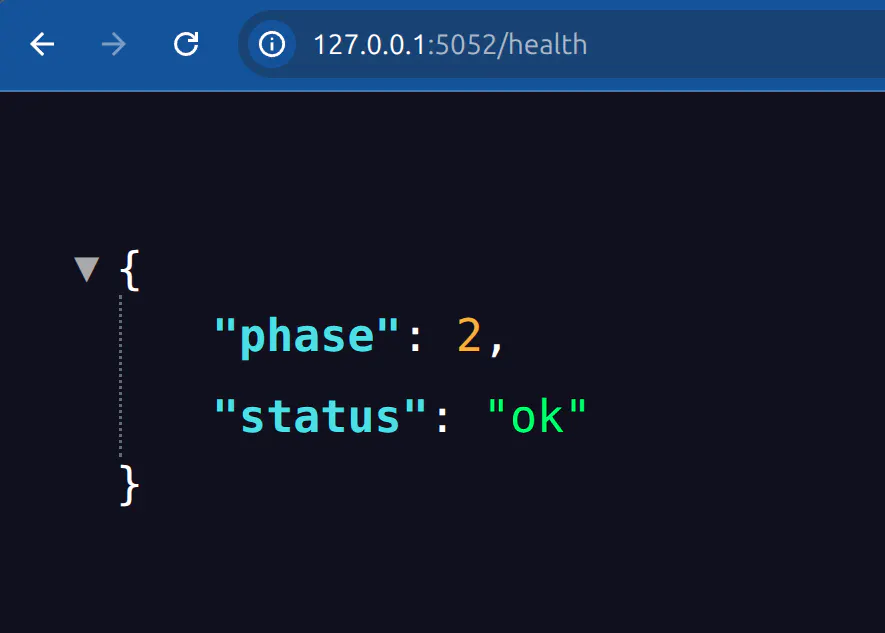
The Phase 2 health endpoint at 127.0.0.1:5052/health returning phase 2 and status ok
That screenshot is from the same window. The main page is returning a 503, and /health is cheerfully reporting ok, because it only knows whether the process is alive.
The readiness probe hits /health, which reports process health and never checks the credential. It cannot detect a stale one. That is deliberate: it’s why the stale pod stays reachable and returns an honest 503 instead of vanishing from the Service. The startup validation is what prevents a broken pod from replacing a working one, because a pod that can’t validate never starts Flask, never passes readiness, and lands in CrashLoopBackOff, so the rollout stalls with the old pod still serving rather than retiring it.
Two caveats on that, both of which matter more in production than on stage. It protects a *rollout*, not the steady state: at one replica, an eviction or a node failure still leaves nothing serving. And the retry loop is patient by design, up to fifteen attempts with a two second delay and a five second connect timeout, so a rollout stalls for roughly half a minute on a rejected password, and closer to two minutes if MySQL or the Gateway is unreachable and every attempt burns its five second connect timeout.
If your applications re-read credentials per request, like my Phase 1 app does, you don’t have this problem at all. Knowing which shape your workload is determines how much machinery you need.
Where to start
If you’re in Phase 0 with credentials scattered across config files and CI variables, don’t try to jump to secretless. Centralize first, because you cannot rotate or eliminate what you cannot inventory.
If you’re centralized and comfortable, rotation is the next step, and start with the credentials that would hurt most: database root passwords, cloud admin keys, shared service accounts.
If you’re rotating and wondering what’s left, look at secret zero. Count the API keys your applications hold purely to reach your secrets platform. On most platforms that number is one per application, and every one of them is permanent. That’s the number workload identity federation takes to zero. The important thing is knowing which of those three you’re on.
And if everything you run sits inside one cloud and speaks that cloud’s IAM, start by counting your boundaries. If there aren’t any, you have less of a problem than most of this post assumes.
Netser made the point while I had the rotated password on screen: that credential was now compromised, because a few hundred people had just watched it. The value of rotation isn’t only the schedule. It’s that being able to invalidate a credential right now gives you back a sense of control. Without it you’re a sitting duck, or you’re making a manual change that might break production.
All four applications, the rotation watcher, the Kubernetes manifests, and the runbook are available so you can walk this yourself: browse the demo repository on GitLab.
Want to see what this looks like against your own workloads? Book a demo with Akeyless or read more about workload identity federation.
The journey is evolutionary, not revolutionary
Few organizations move directly from hardcoded credentials to fully secretless authentication. Most progress one phase at a time as operational maturity increases. The important point is recognizing that centralizing secrets is not the destination—it’s the foundation.
Every step along the maturity model reduces operational burden while shrinking the attack surface. Organizations that ultimately eliminate standing credentials gain not only stronger security, but also simpler operations, easier compliance, and a machine identity strategy built for modern cloud-native and AI-driven environments.
Frequently Asked Questions
What is secretless authentication?
It is authentication where the workload presents an identity its host platform already issues, such as a Kubernetes ServiceAccount token or a cloud IAM role, rather than an API key someone created and stored. The credential still exists, but it is short-lived, issued by the platform, and revoked by deleting the workload rather than by rotating a key.
What is the secret zero problem?
Secret zero is the first credential an application needs to authenticate to a secrets manager before it can retrieve anything else. Centralizing a thousand passwords behind one platform still leaves each application holding a permanent key to that platform, which concentrates risk rather than removing it. Workload identity federation eliminates it.
Is centralizing secrets in a vault enough?
No. Centralization delivers inventory, access control, and an audit trail, which is genuine progress. But credentials stored centrally are still long-lived and still standing. The larger reductions in exposure come afterward from automated rotation, dynamic secrets, and removing static credentials from the authentication chain.
What is the difference between rotated secrets and dynamic secrets?
A rotated secret is a persistent credential, such as a database user, whose password a platform changes on a schedule. A dynamic secret is generated on demand and expires shortly after, so it does not exist until a workload requests it. Rotation suits long-running services; dynamic secrets suit short-lived scripts, CI jobs, and per-request access.
How does a long-running application handle credential rotation?
An application that caches a credential at startup will fail when that credential rotates. Two patterns solve it: re-fetch the credential per request, or run a controller that watches the secret’s version and restarts the workload on change. In the demo, a watcher polls every five seconds and rolls the Deployment, recovering in roughly 10 to 15 seconds.
Does adopting workload identity require rewriting my applications?
Not the data access logic. In this demo the database query function is byte-identical across three of the four phases. What does change is deployment configuration: a ServiceAccount, a Kubernetes auth method, a Gateway auth config, and an RBAC binding for TokenReview. The application keeps consuming credentials the way it always has.
How does Akeyless verify a Kubernetes ServiceAccount token?
The application reads its projected ServiceAccount token from /var/run/secrets/kubernetes.io/serviceaccount/token and presents it to the Akeyless Gateway. The Gateway performs a Kubernetes TokenReview to confirm the token is genuine, then checks it against an auth method bound to specific ServiceAccount names and namespaces before issuing a short-lived Akeyless token.
Can the database password be eliminated too, not just the API key?
That depends on the database, not the secrets platform. Some managed services accept modern authentication flows such as OIDC, where a just-in-time token replaces a password. For most targets a credential of some form is still required, even if short-lived. The exception is when both workloads share an issuer, such as two AWS resources using native IAM.
If my cloud already supports IAM authentication, do I need a secrets platform?
Within a single platform, less than you might think. Two AWS resources can authenticate to each other with IAM roles, and two Kubernetes workloads can with ServiceAccounts, neither needing a secrets manager. The difficulty appears at boundaries: cross-cloud communication, or a cloud workload reaching an on-premises cluster, where no shared issuer exists and every trust relationship must be wired separately.
Does secretless authentication change what an application is allowed to access?
No, and that is the measure of what it buys. Both auth methods in this demo map to one role with the same read and list permissions, so authorization is unchanged between the API-key phase and the secretless phase. The gain is the removal of a permanent credential, not a reduction in what the application can reach.